Mute your part.
Play along.
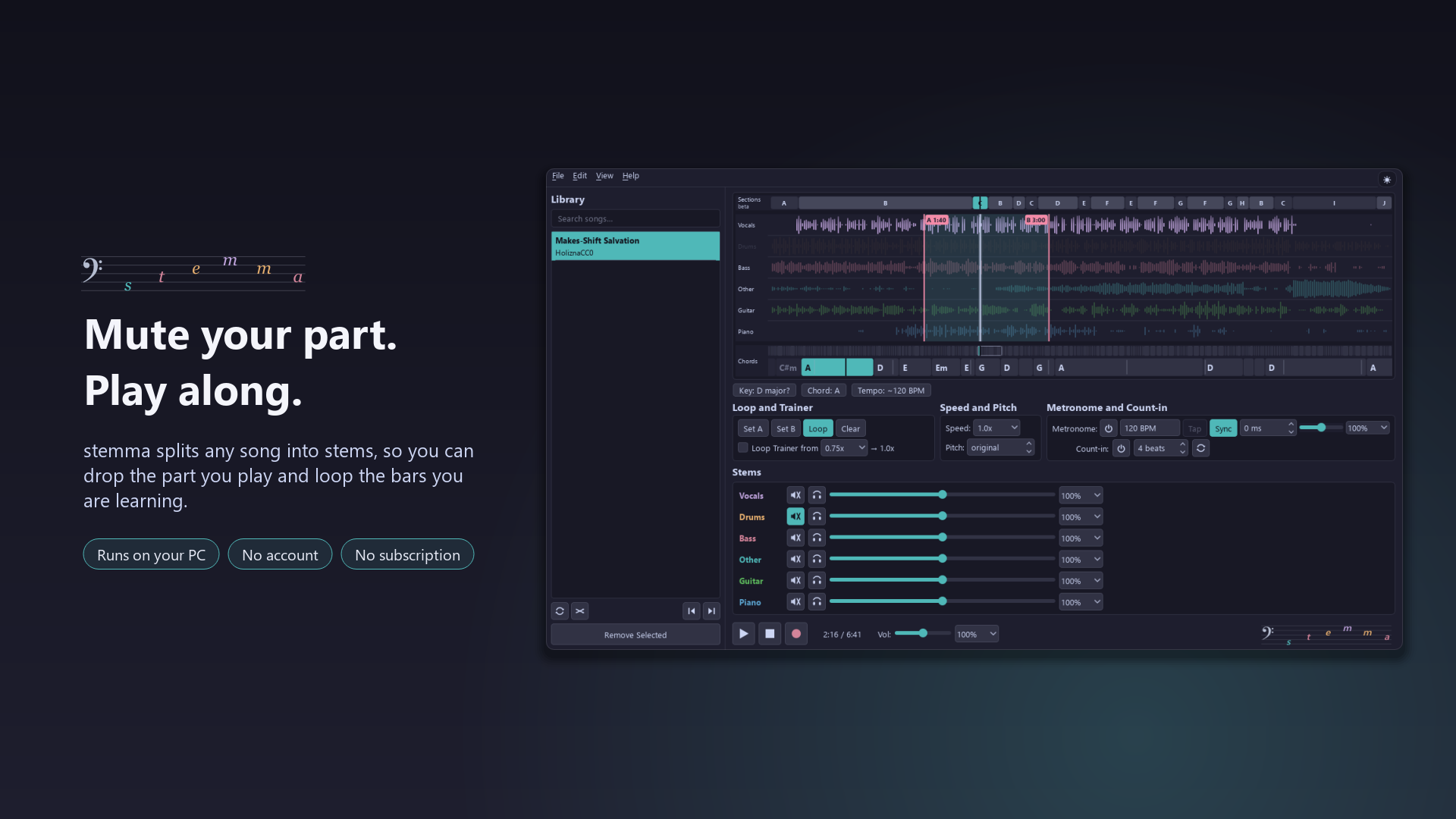
Practice any song with the band. stemma splits a track into vocals, drums, bass, guitar, piano, and other, so you can mute your part and play along. Slow it down without changing pitch, loop the hard bars, transpose to your key, and record your take. A stem splitter and vocal remover that runs entirely on your PC: no account, no subscription, no uploads.
Free for Windows 10 and 11. Version 3.1.0, released November 22, 2026. What's new
- Runs on your PC
- No account
- No subscription
- No uploads
Try the mixer, right here
Free-to-use songs, two split into six stems and four into four by stemma's own separation, and played by a light version of the app's player. Pick one, mute a part, solo another, drag across the lanes to loop a few bars, slow it down or change the key. The app does the same for any song you bring, on your own PC.
Tap or click a lane to jump there, drag sideways to set an A-B loop. On the lanes, the Left and Right keys move 5 seconds.
Stems
Loop and Trainer
Speed and Pitch
Songs in this demo
- “Makes-Shift Salvation” by HoliznaCC0, CC0 1.0 (source)
- “Blue Part II” by JCrews (jimmy233) feat. Adisa McKenzie, CC BY 3.0 (source)
- “Free Music and Free Beer” by Admiral Bob (admiralbob77) feat. SackJo22, CC BY 3.0 (source)
- “Girls Like You” by Stefan Kartenberg (JeffSpeed68) feat. Thespinwires, CC BY 3.0 (source)
- “Let It In” by Josh Woodward, CC BY 4.0 (source)
- “Where You Are Now” by AlexBeroza feat. WolfFly, CC BY 3.0 (source)
How it works
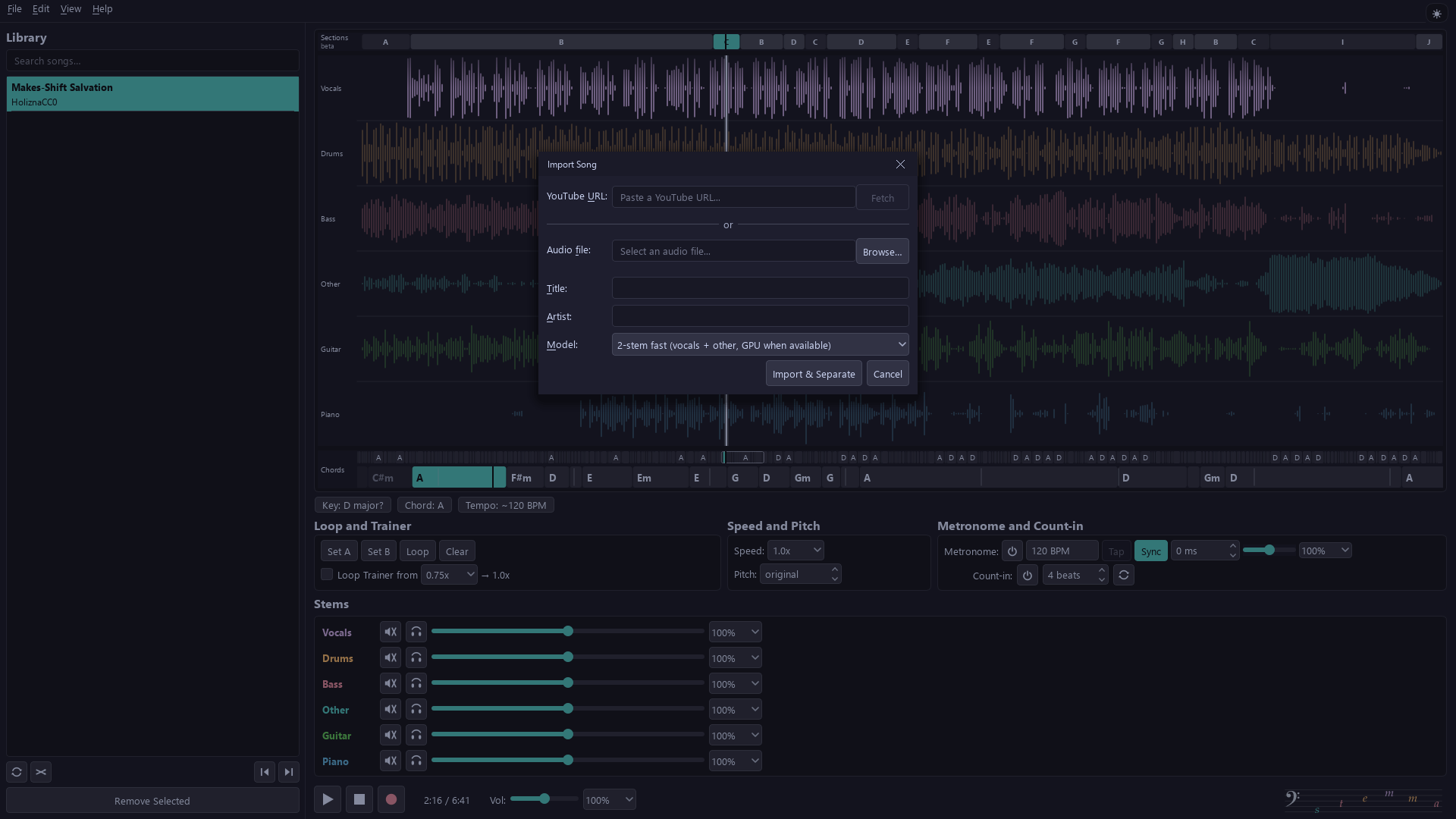
- Import an MP3, WAV or FLAC file, or paste a YouTube link.
- Separate it into 2, 4 or 6 stems. It all happens on your PC; the first time, stemma downloads the models it needs.
- Practice. Mute your part, loop the hard bars, and slow them down or change the key while you learn them. When you have it, record your take over the band at the original speed and key.
Features
Every part on its own
stemma splits a song into vocals, drums, bass, guitar, piano and other, right on your PC: nothing is uploaded, and there is no account or subscription. In a hurry? The two-stem vocal remover is quicker, and uses your graphics card when Windows supports it.
Mute your part, keep the band
Mute the part you play and the rest of the band keeps going. Solo a stem to hear exactly what it does, and set each one's volume.
Slow it down, change the key
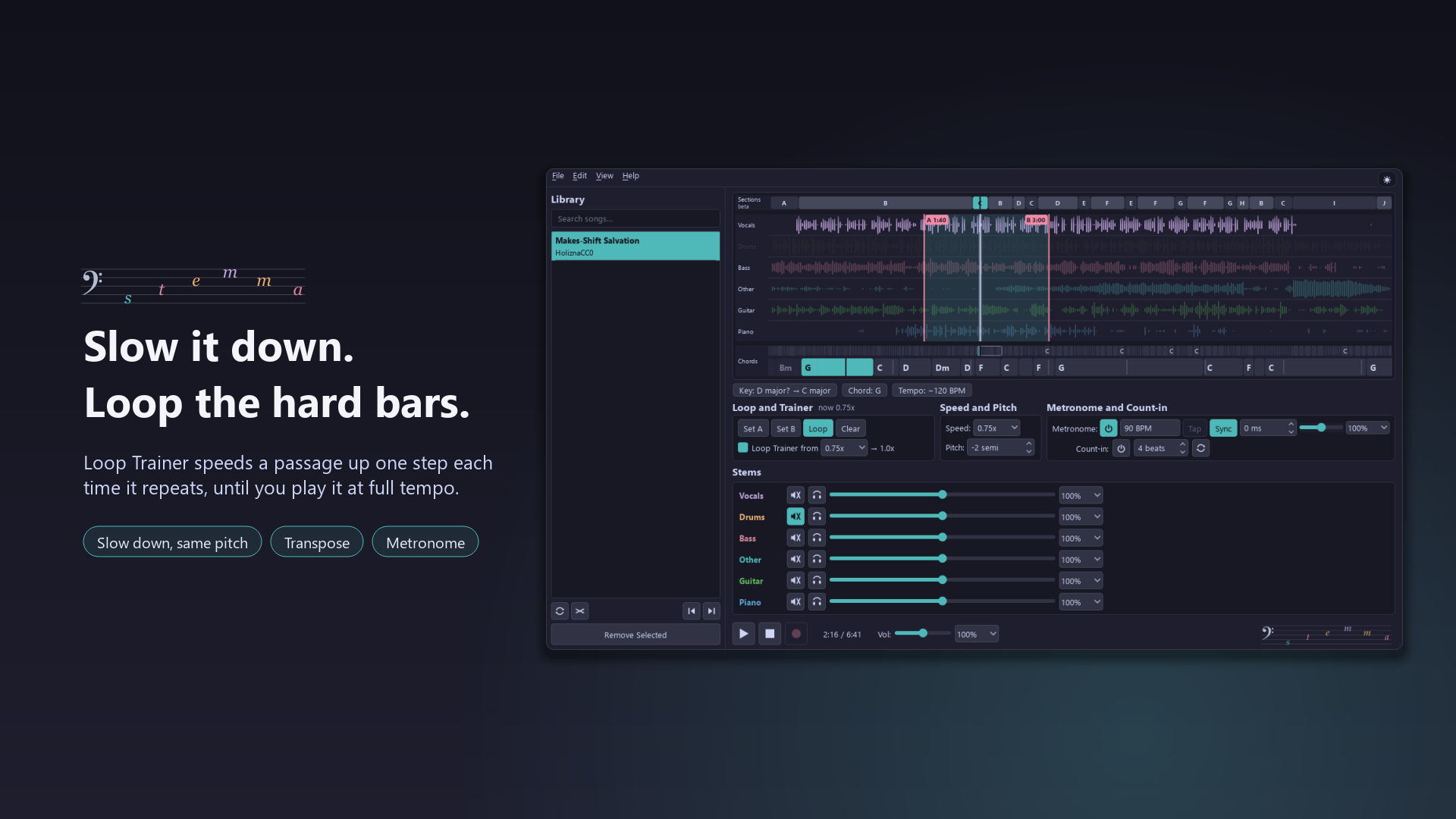
Play anywhere from half speed to double without the pitch dropping, or move the song up to seven semitones either way to suit your voice or tuning. Both change live while it plays.
Loop the hard bars
Set A and B around the passage that trips you up and drill it. Loop Trainer starts it slow and steps the speed up on every repeat until you play it at full tempo.
It reads the song for you
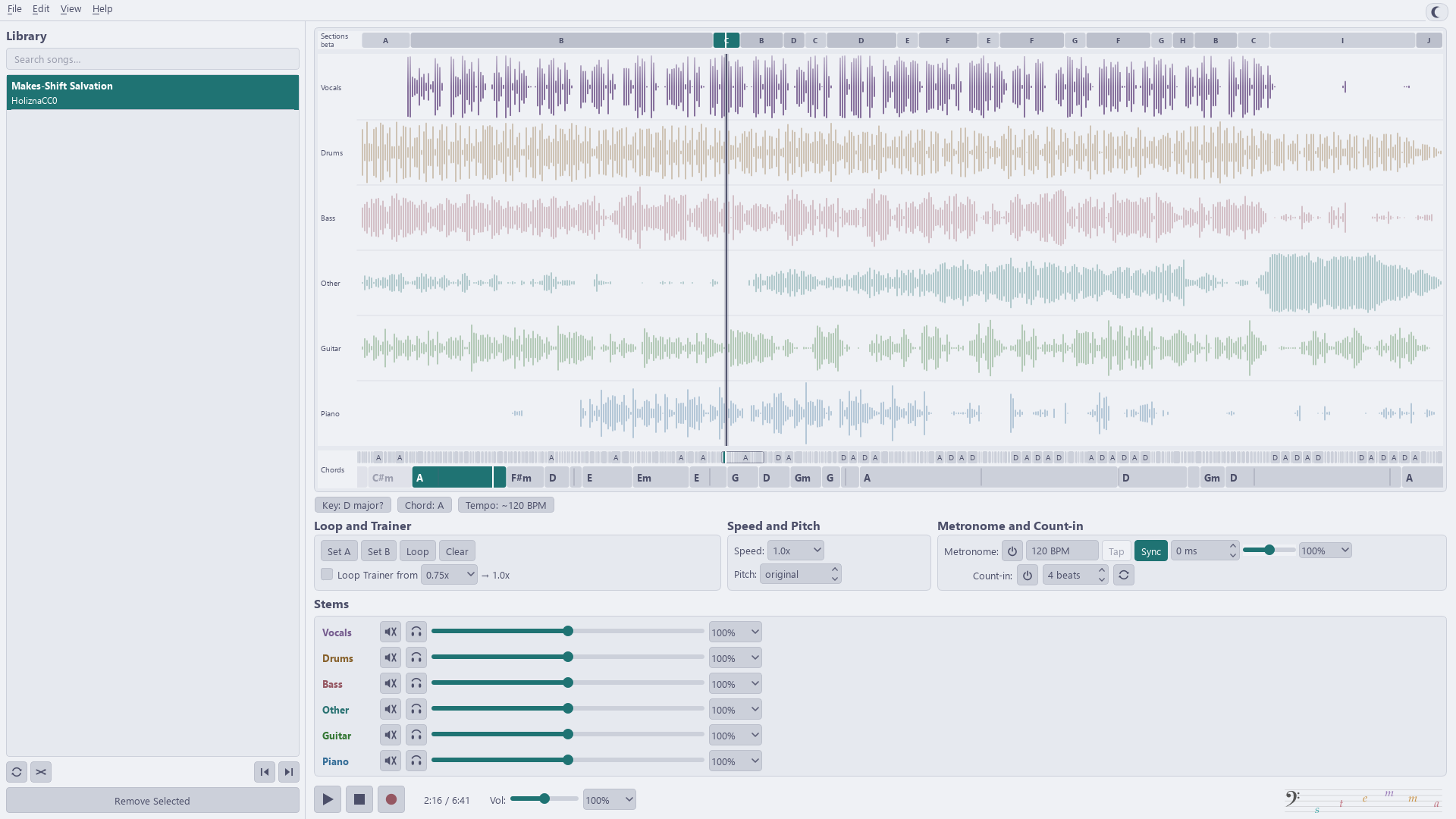
The key and tempo are detected for you, and a chord lane under the waveform shows the chords coming up, so you can read ahead as you play. Transpose it, and the chords follow.
Keep time with the band
The metronome locks to the song's own beats, so it stays with a drummer who speeds up. Tap a tempo or nudge the click, and count yourself in before playback and before each loop.
Record your take
Record yourself over the backing track, at full speed and in the original key. Each take gets its own row in the mixer: set your interface's latency once, then nudge any take into line.
See where every part plays
Each stem gets its own coloured lane in the waveform. Click anywhere to jump there, and the loop shades the bars you are drilling.
Bring a song, take your mix
Open or drop in an MP3, WAV or FLAC file, or paste a YouTube link. Export the mix you hear, a single stem, or just the loop, as WAV or MP3.
Picks up where you stopped
Your library remembers each song's place, mix, loop, speed and pitch, so practice starts where it ended. Search it, repeat a song, shuffle, or let it play on.
Hands stay on the instrument
Play, loop, mute a stem, change speed and pitch, start the metronome and jump around from the keyboard, so you can keep hold of your guitar or sticks while you practise.
Screenshots
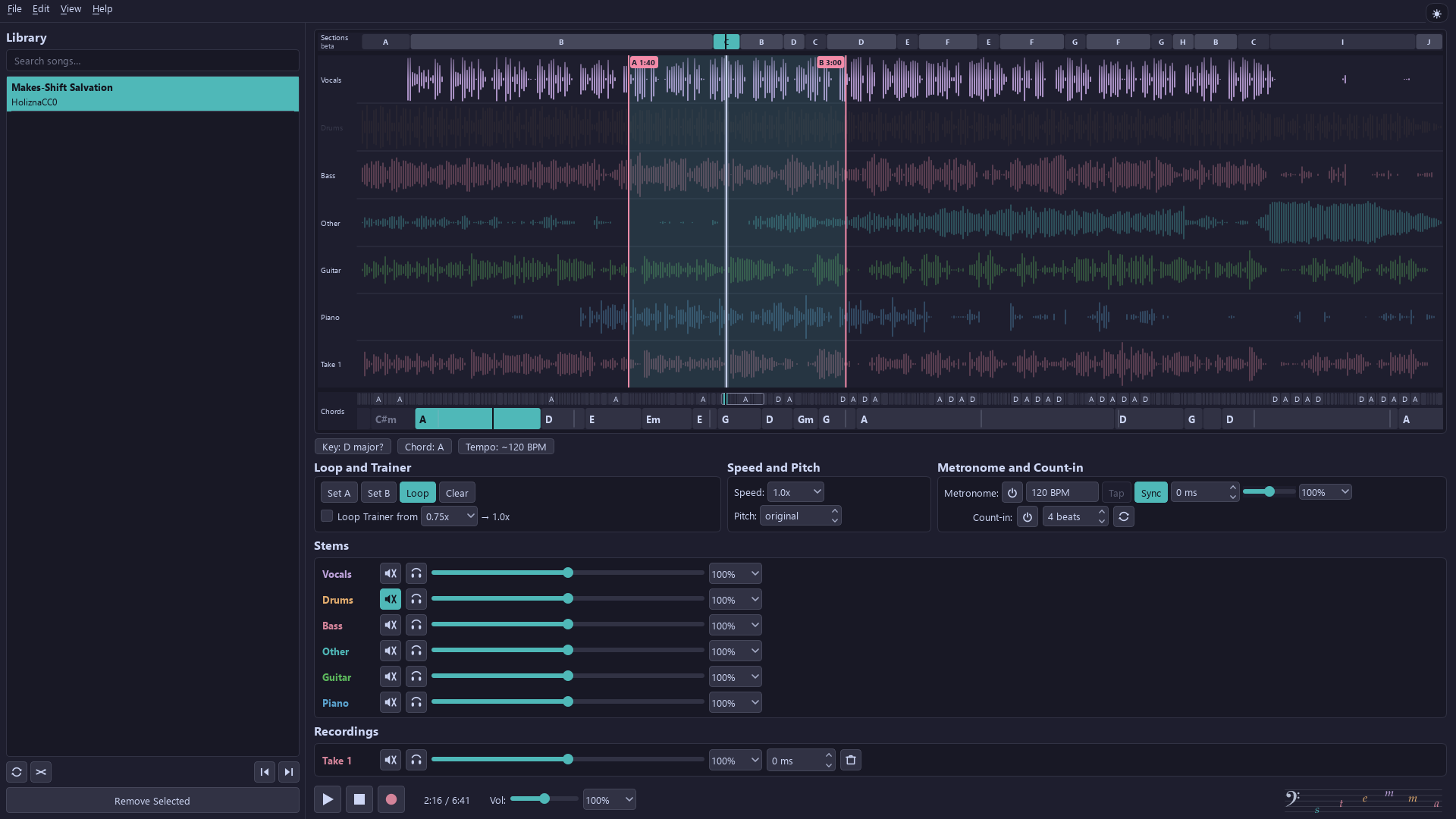
What's new in 3.1.0
- A chord lane under the waveform: the whole song's chords, plus the next bars large enough to read ahead while you play. Click a chord to jump to it.
- Song sections (experimental): stemma splits the song into sections on its bar lines, with the same letter for parts that sound alike. Double-click a section, or press Shift+L, to loop it.
- YouTube import now uses its own JavaScript runtime for YouTube's checks.
- If your headphones or speakers disconnect during playback, stemma pauses and tells you.
- A silent recording, usually Windows blocking the microphone, now comes with a warning that points to the setting.
- Keyboard and screen readers: the waveform is a Tab stop that announces the playback position and loop points, and Ctrl+O, Ctrl+, and Ctrl+Q import, open Preferences, and quit.
- Safer files: a failed export leaves no partial file, and a data folder on a disconnected drive is kept for next time.
Questions
What do I need to run it?
A 64-bit PC with Windows 10 (version 1809 or later) or Windows 11. stemma itself is a download of about 235 MB. The separation models download once, the first time you use each: about 67 MB for 2 stems, 180 MB for 4 stems and 120 MB for 6 stems, plus 83 MB for beat detection.
How long does separating a song take?
4- and 6-stem separation runs on the processor: on a recent laptop it takes roughly one to two and a half times the length of the song. The 2-stem mode (vocals and the backing track) is faster, and uses the graphics card when Windows supports it. Separation runs in the background, so you can keep practicing while it works, and each song is separated only once.
Which files can I use?
MP3, WAV and FLAC files, or a YouTube link. You can export your own mix, a single stem or a loop as WAV or MP3.
Where are my songs and stems kept?
On your PC. Edit > Preferences shows the folder and lets you choose another one. The portable zip starts in %LOCALAPPDATA%\stemma; the Microsoft Store version keeps its files inside its own app folder, which Windows manages. Nothing is uploaded anywhere.
Is it really free?
Yes. There are no ads, no account and no subscription, and the source code is open under the MIT licence.
Windows warned me about the zip. Is it safe?
The portable zip is not code-signed, so Windows SmartScreen may show a warning: choose More info, then Run anyway. The Microsoft Store version installs without the warning. Releases from v2.6.0 on include a SHA256SUMS.txt file for checking the download.
Your songs stay yours
Separation runs on your own machine. Nothing is uploaded, there is no account and no telemetry, and once the models are downloaded stemma works offline. Two-stem separation uses your GPU when Windows supports it, and falls back to the CPU when it does not.